Internet Connectivity
To manage the station, make sure it is connected to the internet.
Your station may already have internet connectivity — you can check this using the station manufacturer’s app. It is recommended that charging stations connect to the internet using one of the following methods.
LAN Connection
If a LAN cable is connected to your station, you most likely already have internet access.
SIM Card
If your station does not have LAN or Wi-Fi, you can use a SIM card to provide internet connectivity.
SIM Card Activation
We recommend using the multi-network SIM card provided by EV24 due to the ability to work with multiple operators depending on coverage.
Order the SIM Card
Order the card in the Shop option.
Register the SIM Card
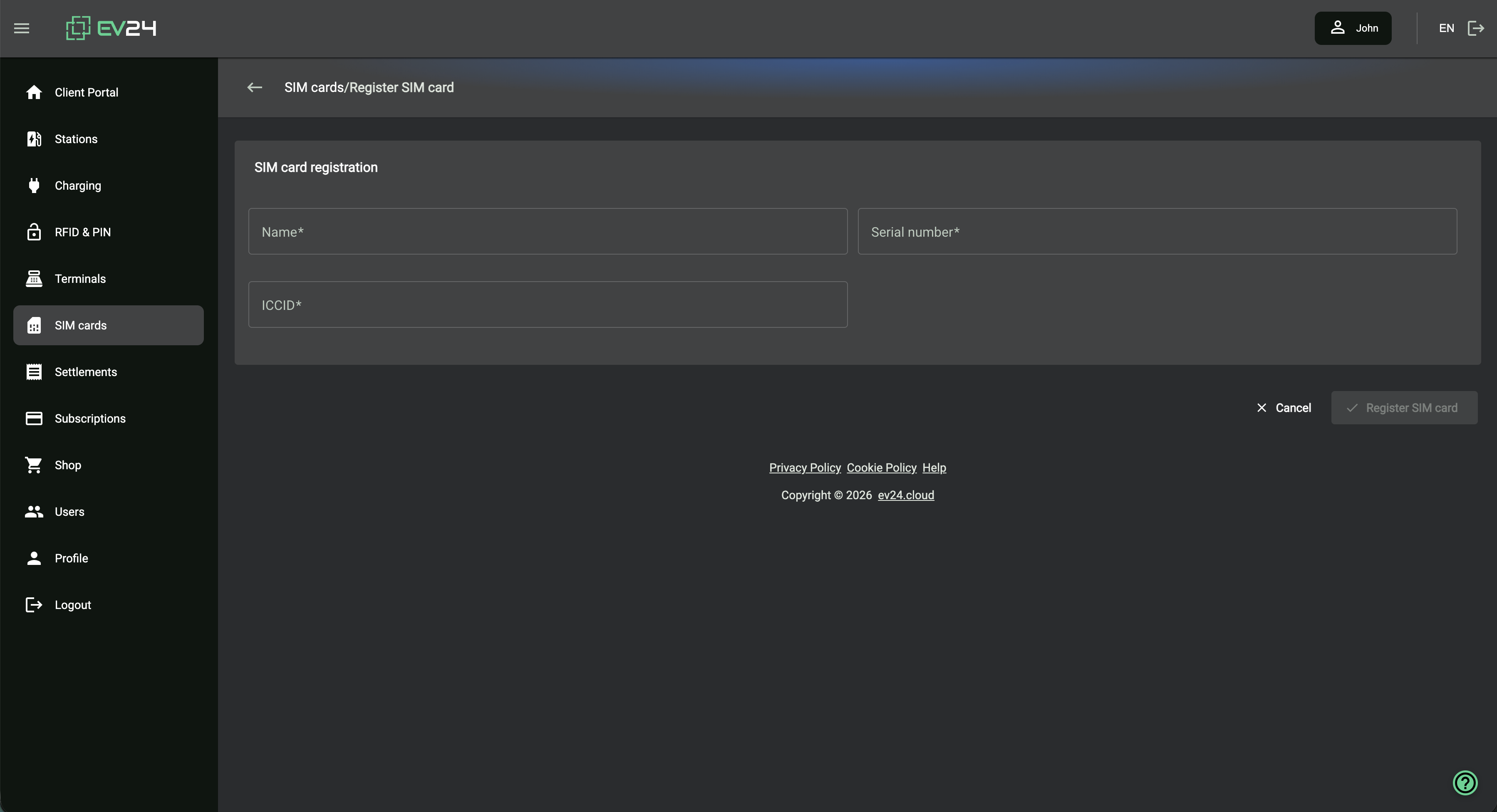
Read the serial number consisting of letters and the ICCID number located on the left side of the SIM starter pack, then register the SIM card.
Register the card in the SIM Cards option.
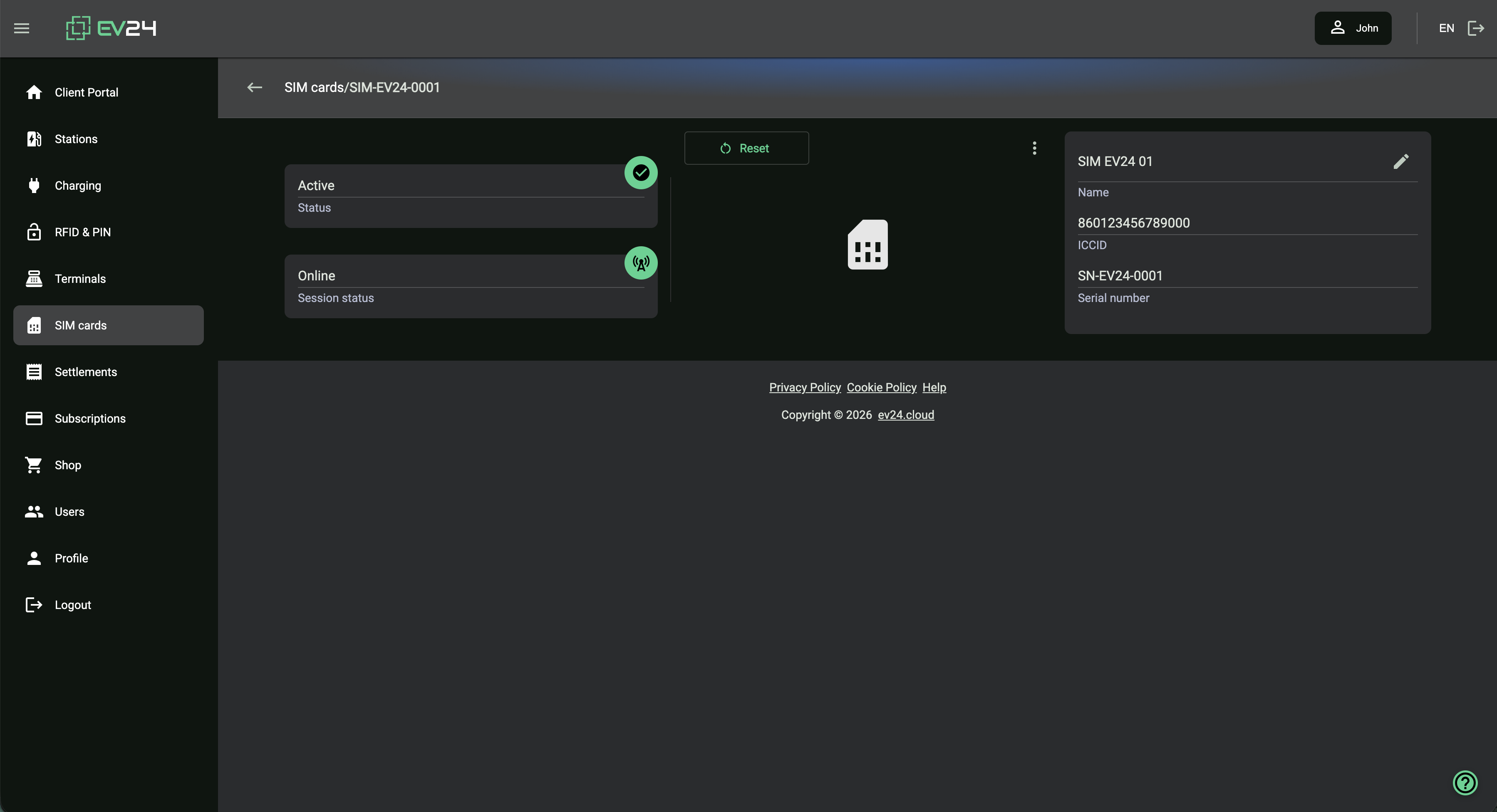
SIM Card Status
The connection status of the SIM card will be visible after registration in the SIM card details.
Use the following APN: simbase
SIM card support is available in selected subscription plans.
You can add a SIM card without a subscription plan. The card will work free of charge until the end of the next calendar month. During this time you should activate a subscription plan to keep the card active for subsequent billing periods.
After installing and configuring the SIM card in the provider’s app, you should see the internet connection status for your charging station.
If the station already has internet access, you are just one step away from making it available to your customers.