Integrators
EV24® API enables server-to-server integrations for partners and clients who have API access enabled in their profile.
Who EV24® API is for
EV24® integration API is intended for:
- partners who manage clients or want to automate selected processes in their organization,
- clients who need programmatic access to features exposed through the integration API,
- technical teams building system-to-system integrations with EV24®.
Two kinds of API
EV24® exposes two complementary integration mechanisms. The REST API is used to actively query the platform and perform operations, while webhooks deliver event notifications automatically whenever something happens on the EV24® side.
| Kind | Direction | Communication model | Use case |
|---|---|---|---|
| REST API | You → EV24® | request / response (pull) | read and write data on demand: stations, tokens, clients |
| Webhooks | EV24® → You | event notifications (push) | react to events in near real time, e.g. finished charging |
In practice, integrations use both mechanisms together: a webhook signals an event, and the REST API lets you fetch the related details.
Access requirements
To use EV24® API:
- the partner or client profile must have API access enabled,
- the user must have access to the Settings → API section in their profile,
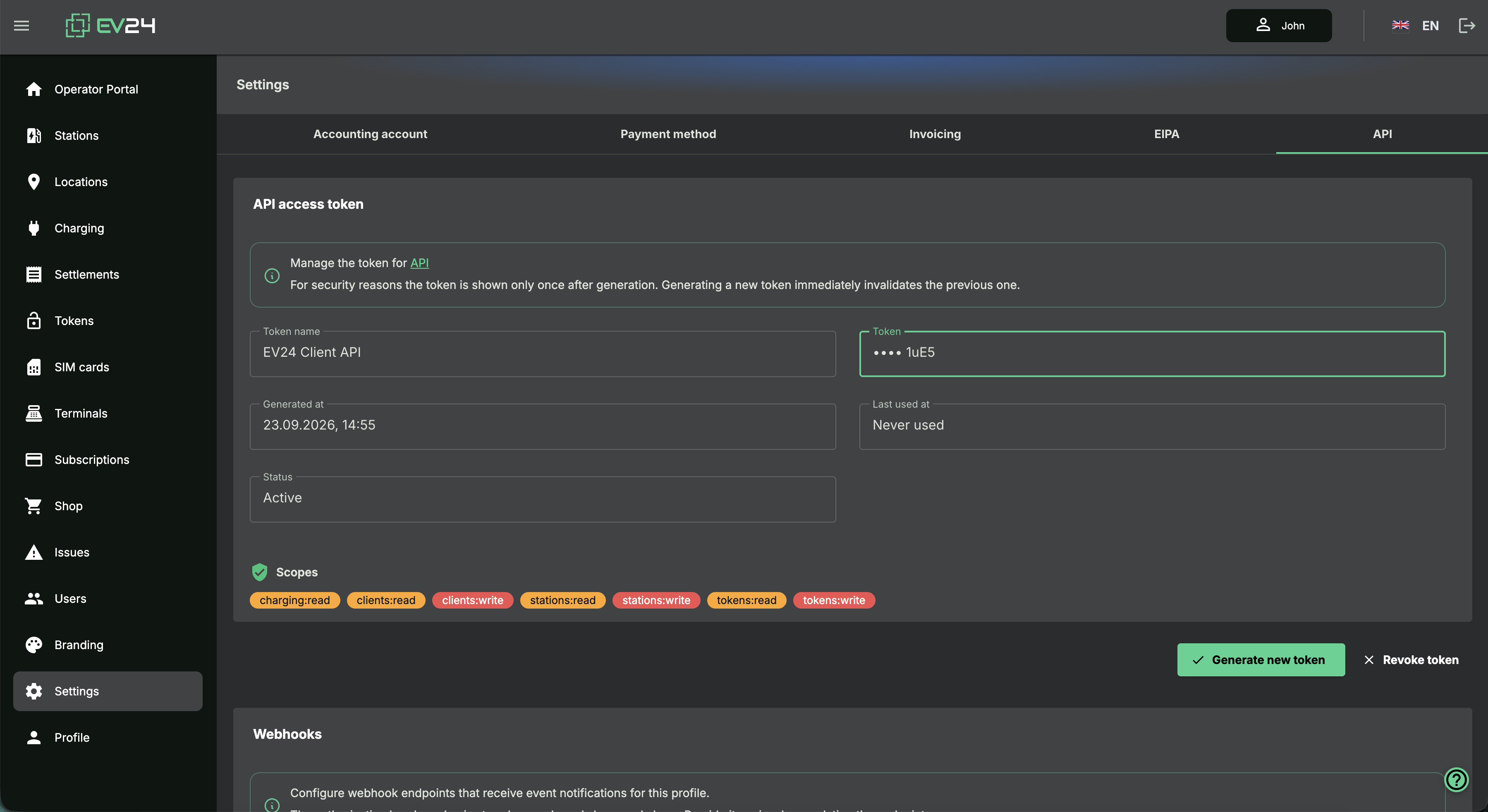
- the API token must be generated in the EV24® portal.
Enabling API access may require prior activation of the service by an EV24® administrator.
How to obtain a token
Enable API access
An EV24® administrator enables API access for the partner or client profile and assigns the appropriate scopes.
Open the API section
Sign in to the EV24® portal and open the Settings → API tab in the partner or client profile.
Generate a token
Use the Generate new token option. The token is displayed only once immediately after generation.
Store the token securely
After leaving the view, the token will not be shown again.
REST API
The REST API lets your system read and write data in EV24® on demand — this covers, among others, managing charging stations, RFID / PIN tokens and partner clients. Every request is authenticated with a Bearer token, and access to individual operations is restricted by the scopes assigned to the token in the portal.
The API base URL is https://api.ev24.cloud. The full interactive OpenAPI specification with
the complete list of endpoints, parameters and examples is available in the dedicated API
documentation:
Webhooks
Webhooks deliver event notifications from the EV24® platform to a URL you provide. Instead of
polling the REST API periodically, you receive a POST request the moment an event occurs.
Configuration
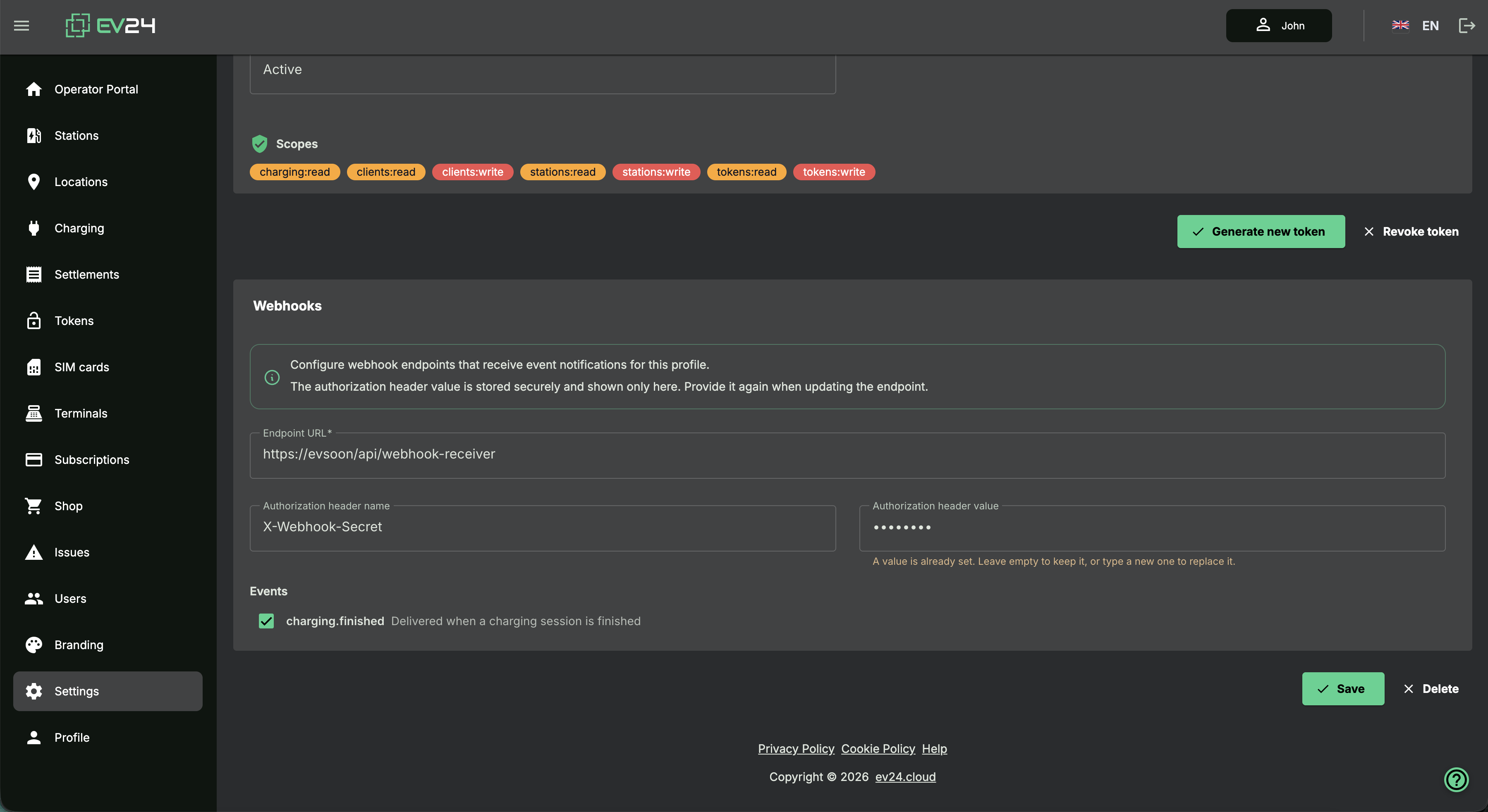
In the Webhooks section, provide:
- Endpoint URL — the address EV24® will send notifications to (
POSTmethod), - Authorization header name and value — an arbitrary header (e.g.
X-Webhook-Secret) that EV24® attaches to every request so the receiving service can confirm the origin of the notifications. The value is stored securely and not shown again — when editing, provide it again to change it, or leave the field empty to keep the current one, - the Events you want to receive.
Available events
| Event | Description | Required scope |
|---|---|---|
charging.finished | delivered when a charging session is finished | charging:read |
The list of events available for subscription depends on the scopes assigned to the profile — only events the profile is allowed to access are shown.
The notification is sent as a POST with a JSON payload. The detailed payload structure for
each event is described in the EV24® API documentation .
Delivery and retries
Notifications are queued and delivered asynchronously. If delivery fails (e.g. a network error
or a non-2xx response code), EV24® retries according to its retry policy. The receiving service
should respond with a 2xx code once the notification is accepted and handle it idempotently —
the same event may be delivered more than once.
Security rules
- pass the token in the
Authorizationheader asBearer, - generating a new token immediately invalidates the previous one,
- the token can be revoked manually from the profile (Revoke token),
- once API access is disabled, all related tokens stop working,
- in the receiving service, verify the authorization header attached by EV24® to each webhook.
How to use the token
Example authorization header:
Authorization: Bearer ev24_live_xxxxx.yyyyyAPI base URL:
https://api.ev24.cloudEndpoint documentation is available here: