Access Tokens
Access tokens let you authorise charging at your stations without paying at the point of use. We support two methods: RFID cards and PIN codes.
Introduction
Not every charging session should involve a card payment at the station. In many business scenarios a station should be available to a defined, trusted group of users — employees, fleet drivers, residents of a community, or guests — while settlement happens later, in bulk, on the operator’s side.
That is what access tokens are for. Instead of paying for each charge, the user authorises with an identifier assigned to them — an RFID contactless card or a PIN code — and the system records the session and attributes it to the right settlement.
Typical use cases:
- Fleet — drivers charge company vehicles with an RFID card, and the cost lands on a single consolidated company settlement.
- Workplace — employees use stations in the company car park as a benefit.
- Community / building — residents have access to shared stations.
- Service access — technical authorisation for maintenance purposes.
This feature requires the appropriate subscription plan.
How it works
Authorisation with an access token happens without any payment at the station:
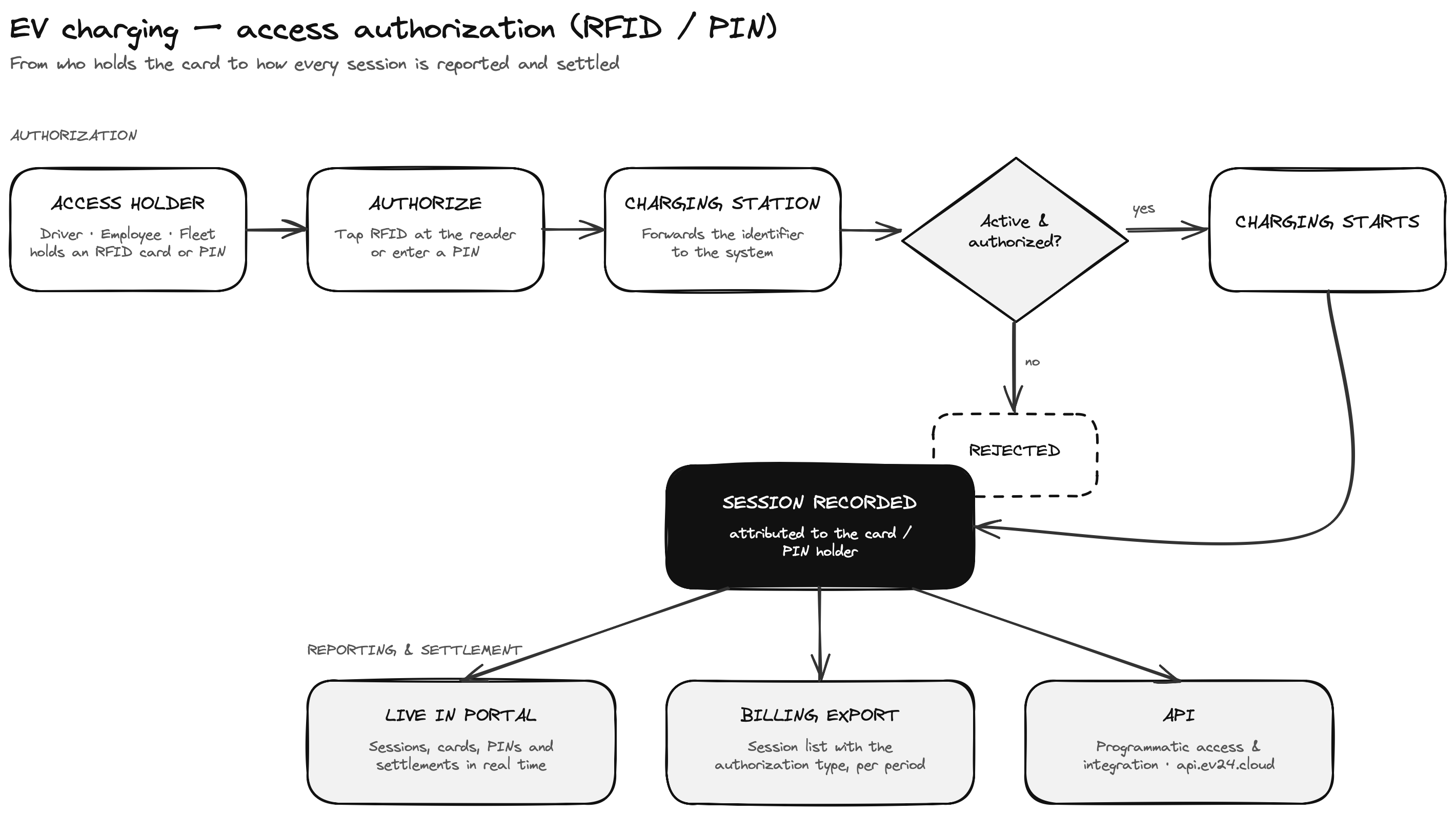
- The user taps an RFID card at the station reader or enters a PIN code.
- The station forwards the identifier to the system, which checks whether the token is active and authorised to charge at that station.
- On successful verification, charging starts.
- When the session ends, the system records it and attributes it to the settlement of the token owner.
This requires the relevant authorisation method to be enabled on the station — see authorisation method configuration. A station that does not have RFID or PIN enabled will reject such an authorisation attempt.
Readers in the charging station
RFID card authorisation requires the charging station to be equipped with a contactless reader. Most modern AC and DC stations have a built-in reader supporting common contactless card standards.
- If the station has an RFID reader — the user can authorise with a card directly at the station.
- If the station has no reader, or the user does not have their card — the alternative is PIN authorisation, which requires no additional hardware in the station.
PIN is a natural complement to RFID: it also works where a station has no reader, and as a fallback when a card is lost or left behind.
Authorisation methods
RFID cards
An RFID card is a physical contactless identifier. It works best wherever fast, convenient access is needed without a phone and without connectivity — the user simply taps the card on the reader.
How to add an RFID card
You can add a card in two ways:
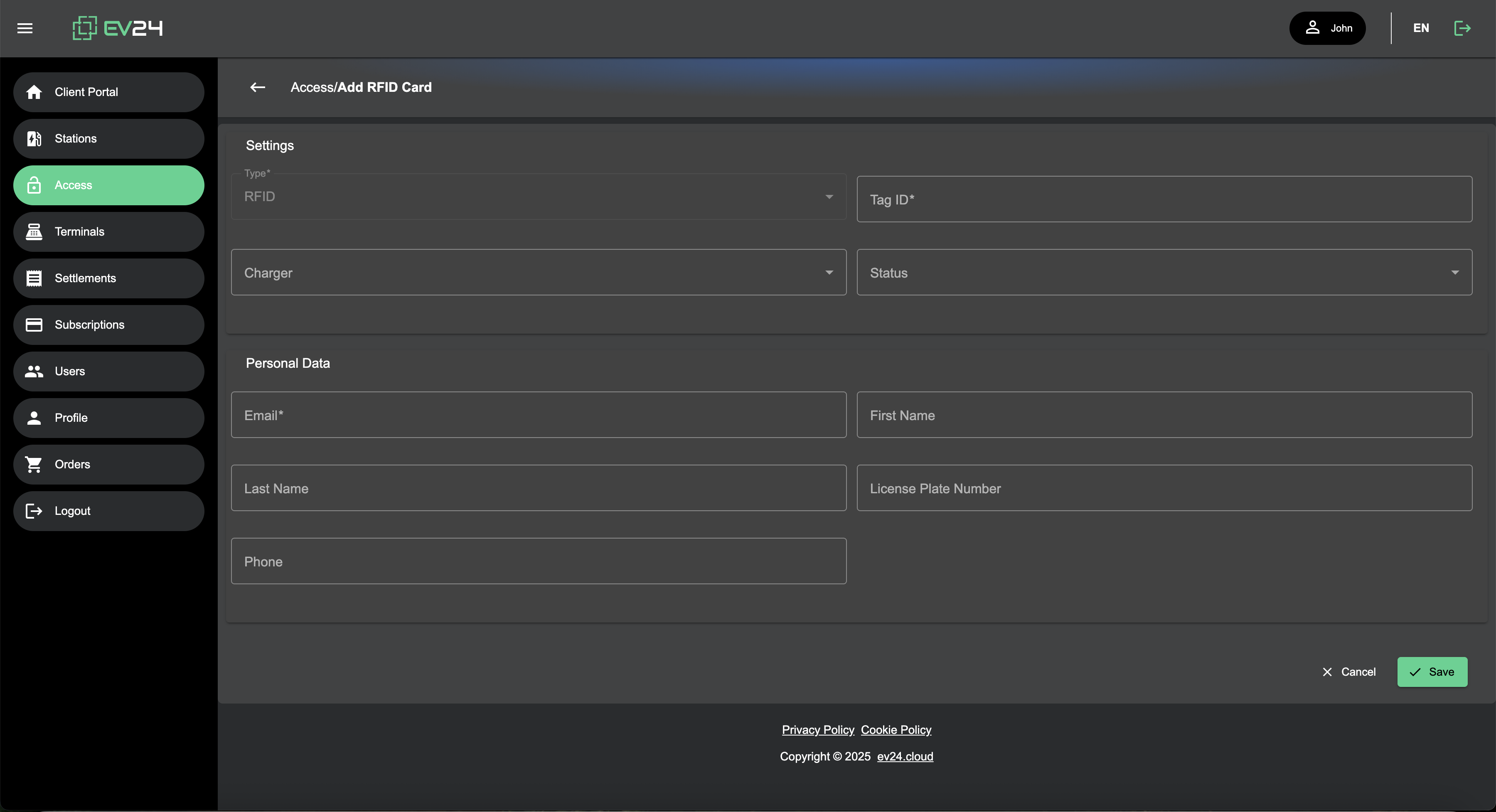
Method 1 — by tapping the station
Tap an unknown RFID card on the reader in your charging station. The card is automatically detected and appears in the card list in the portal with a pending status. You can then accept (activate) or block it.
Method 2 — from the portal
If you know the card number, you can add it manually in the portal, without tapping it on a station.
Accepting a card
After a card is detected or added, approve it to enable charging authorisation.
Browsing and managing cards
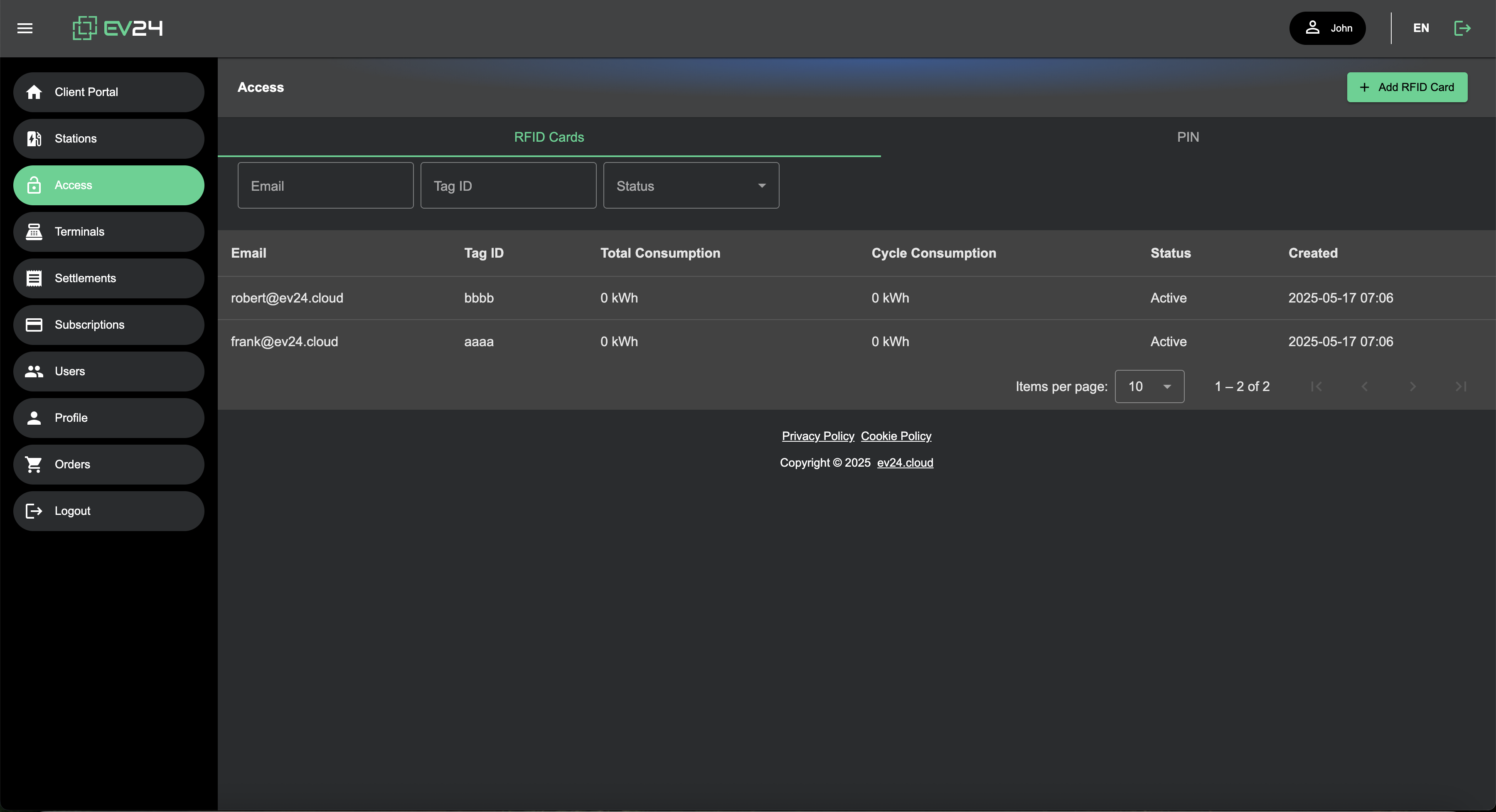
You will find all cards and their status in the RFID card list in the portal. You can activate them, block them, and review their related sessions.
Remember to enable the relevant authorisation method on your charging station.
Settlement of authorised sessions
Every charging session authorised with an RFID card or a PIN code is recorded and included in the operator’s settlements. Thanks to this, “no payment at the point of use” charging is fully accountable and attributed to the right entity.
All operations are available:
- live in the portal — a real-time view of sessions, card and PIN statuses, and related settlements,
- in the export file (Billing) — after the settlement period closes, the system generates a billing that includes, among others, a synthetic summary of charging sessions with the authorisation type.
Details on statements, accounting documents and settlement periods are described in the Settlements section.
Full authorisation flow
The diagram below shows, in a more detailed and technical view, the full authorisation path — from a user holding an RFID card or a PIN code, through verification on the system side and the access decision, to recording the session and making it available in the portal, the settlement file (Billing) and via the API.
API access
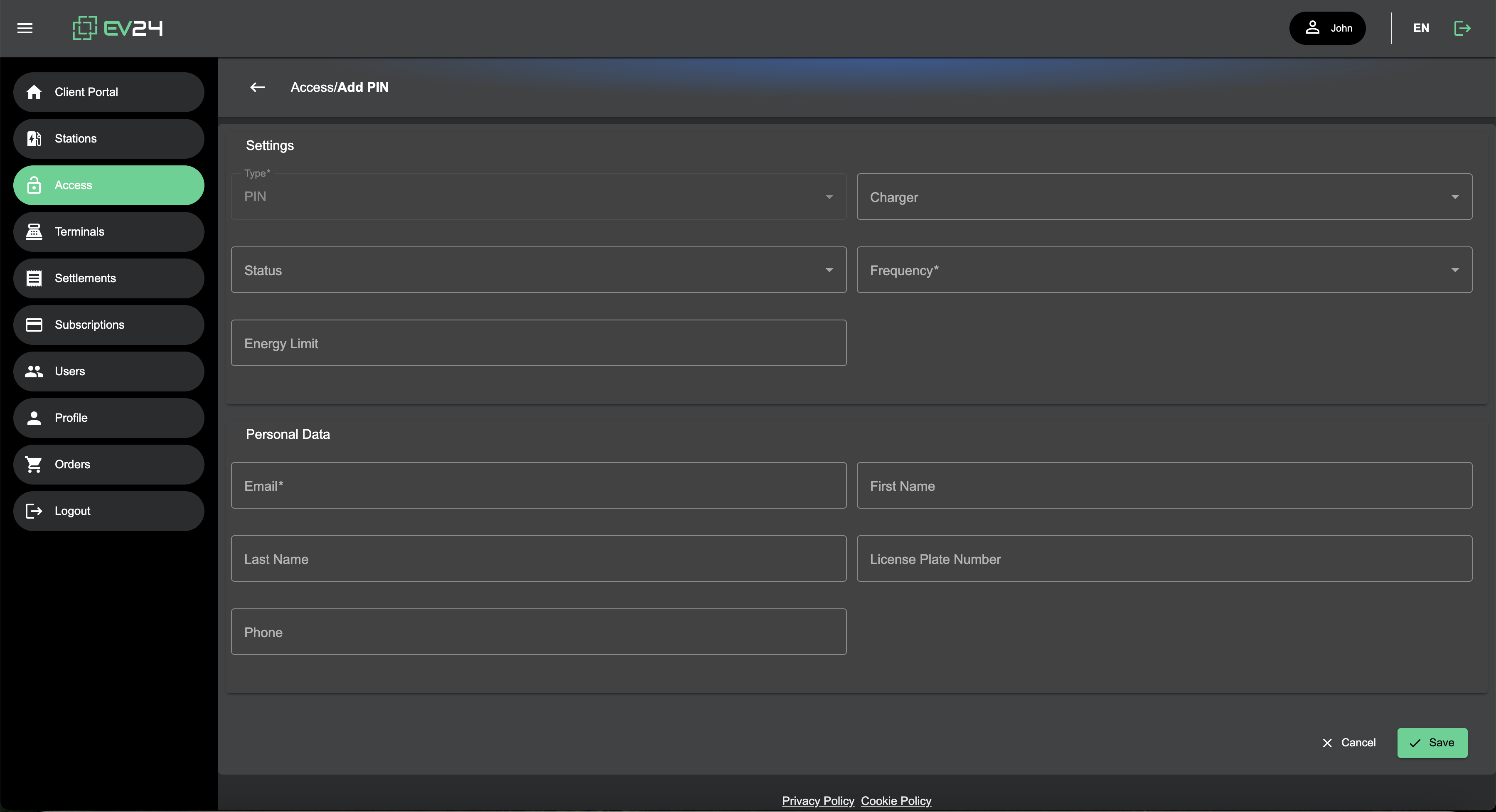
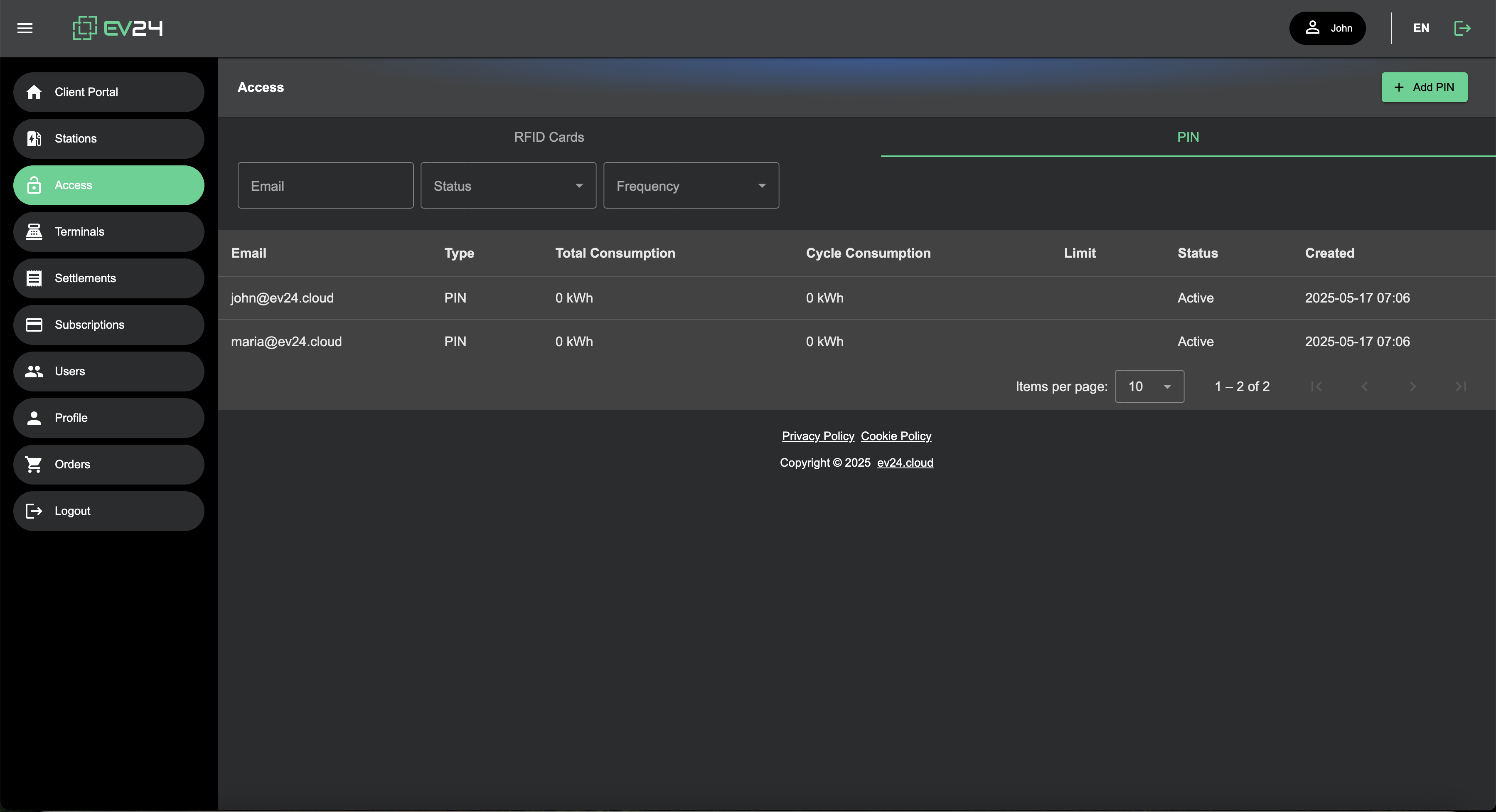
All operations related to access tokens — adding and blocking RFID cards, managing PIN codes, and reading sessions and settlements — can also be exposed programmatically, through the API.
This lets you integrate access management with your own systems (e.g. HR, fleet or ERP) and automate granting and revoking permissions.
The API documentation is available at api.ev24.cloud .
RFID cards — order or bring your own
You can order RFID cards in the portal under Shop — they are ready to use and compatible with the readers in the stations. You can also use your own contactless cards that comply with the supported standards.
Order RFID cards under Shop
Reader and card standards
Cards and readers are based on the ISO/IEC 14443 standard (13.56 MHz, including MIFARE) — a safe choice if you want to use your own cards.