Installers
Here you will find information about the procedure for connecting the EV24 service to a new charging station.
Prerequisites
- You have the EV24 sticker or serial number of the station
- You have the credentials for OCPP connection or access to the service PIN
- You can perform a test payment for charging or have access to the service PIN
- The station you want to activate can be connected to the Internet
- The client for whom you are installing the station has activated the EV24 service
Installation
Connecting the station to the Internet
- Ensure the station has an uninterrupted and stable Internet connection.
- More information can be found in the Internet connectivity section
✅ The station is connected to the Internet
Charger Manufacturer Configuration
- Update the charger firmware to the latest available version.
- Ensure that the charger is not operating in Free Charging / Autostart mode. If this option is enabled - disable it so that the EV24 system can authorize charging sessions.
Update the station’s firmware to the latest available version.
✅ The station is ready to be connected to the system
Connecting the station to the system
- Scan the QR code on the EV24 sticker using your phone camera. The station may be 🔴 Offline.
- If the station is in service mode, you can activate it by clicking the Tools icon in the app next to the connector data. If this mode is not active, you can request activation or configure the station using the credentials provided to you.
Service Mode
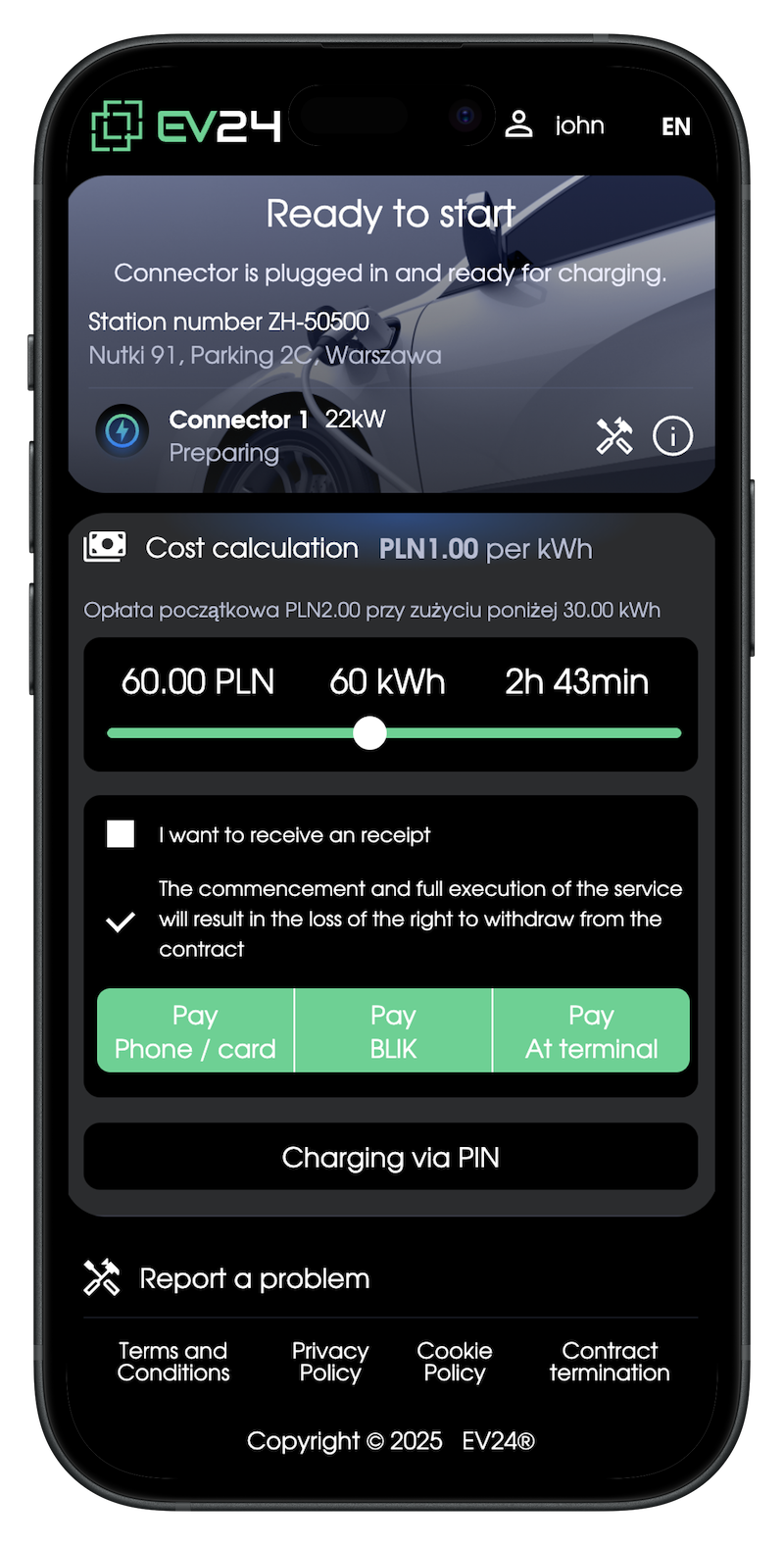
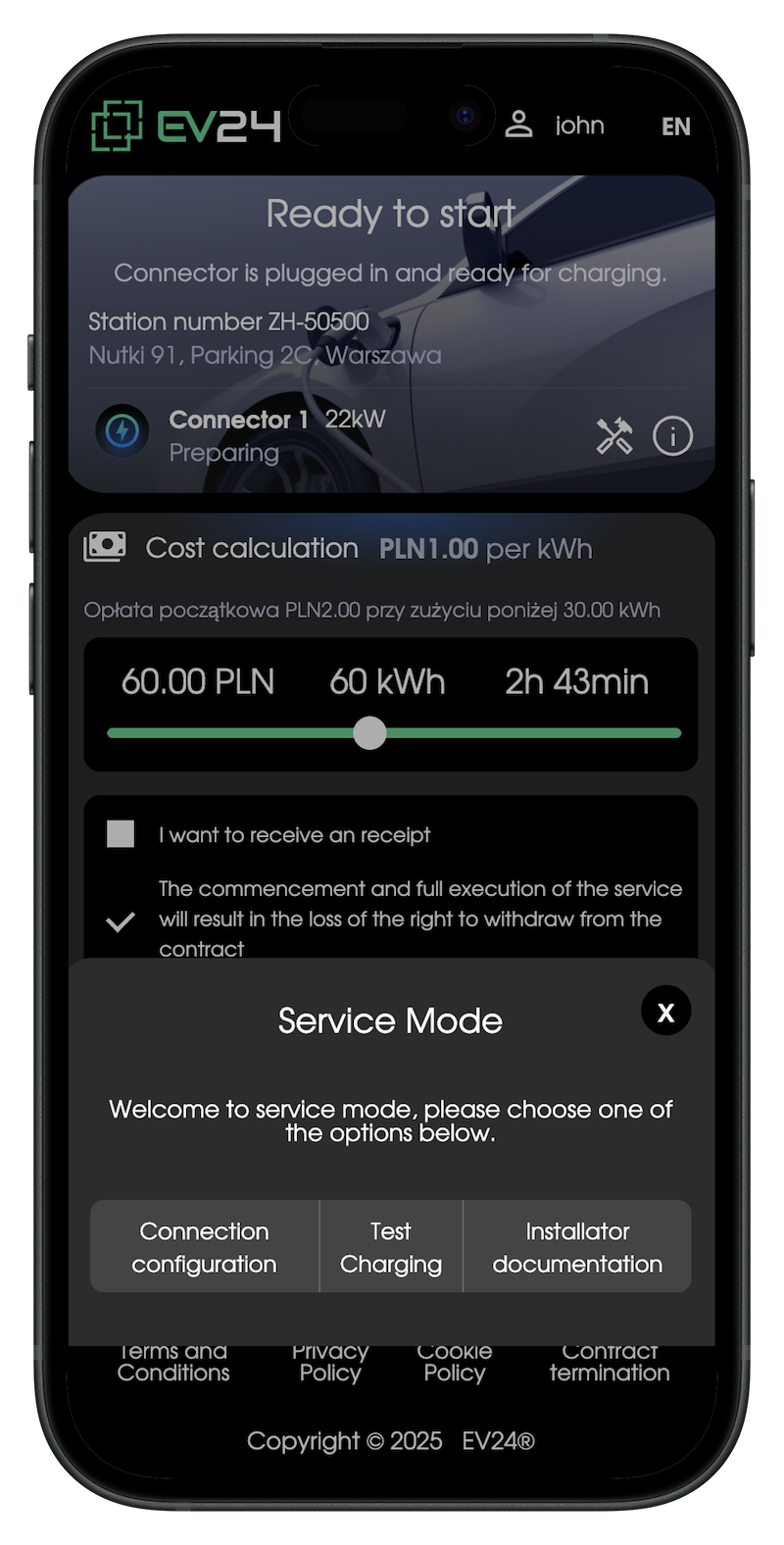
-
With OCPP credentials, configure the station using the software or mobile app provided by the charging station manufacturer.
-
Restart the charging station and check if the station is 🟢 Online by scanning the QR code.
-
Perform a test charging session using the ‘Test Charging’ option available in service mode. If you do not have a PIN, the client may generate one for you after activating the Standard Plan, or you can request a PIN. More information about charging with a PIN can be found in the Driver App.
-
Perform a test EV charging session: start and stop charging from the EV24 app.
For payment in the app to be possible, the client must register and activate the service along with activating the payment account.
✅ The station has been correctly configured with the EV24 system
Connecting the payment terminal
- Ensure the payment terminal is connected to the charging station, has power, and has Internet access.
- Provide the client with the serial number of the payment terminal by reading it from the back of the terminal, from the screen during startup, or from the service menu available in the top left corner of the screen.
For payment via terminal, the client must perform terminal activation