EIPA
Depending on the country, there may be registration obligations for public charging stations.
Poland 🇵🇱
The Act on Electromobility and Alternative Fuels imposes an obligation on operators to register public alternative fuel infrastructure in the Alternative Fuels Infrastructure Register (EIPA) of the Office of Technical Inspection (UDT). This requirement applies in particular to publicly accessible charging stations. The qualification of the station is carried out by the Office of Technical Inspection. EV24 fulfills the statutory obligations regarding the transmission of data on prices and availability of individual charging points and automatically transmits this data to the EIPA system.
However, this requires the following configuration steps:
Operator registration
Register an operator account in the EIPA system . Pay attention to the type of entity and select: “Operator of a publicly accessible charging station.” Within a few days, you will receive your EIPA system identifier and login details by email from UDT.
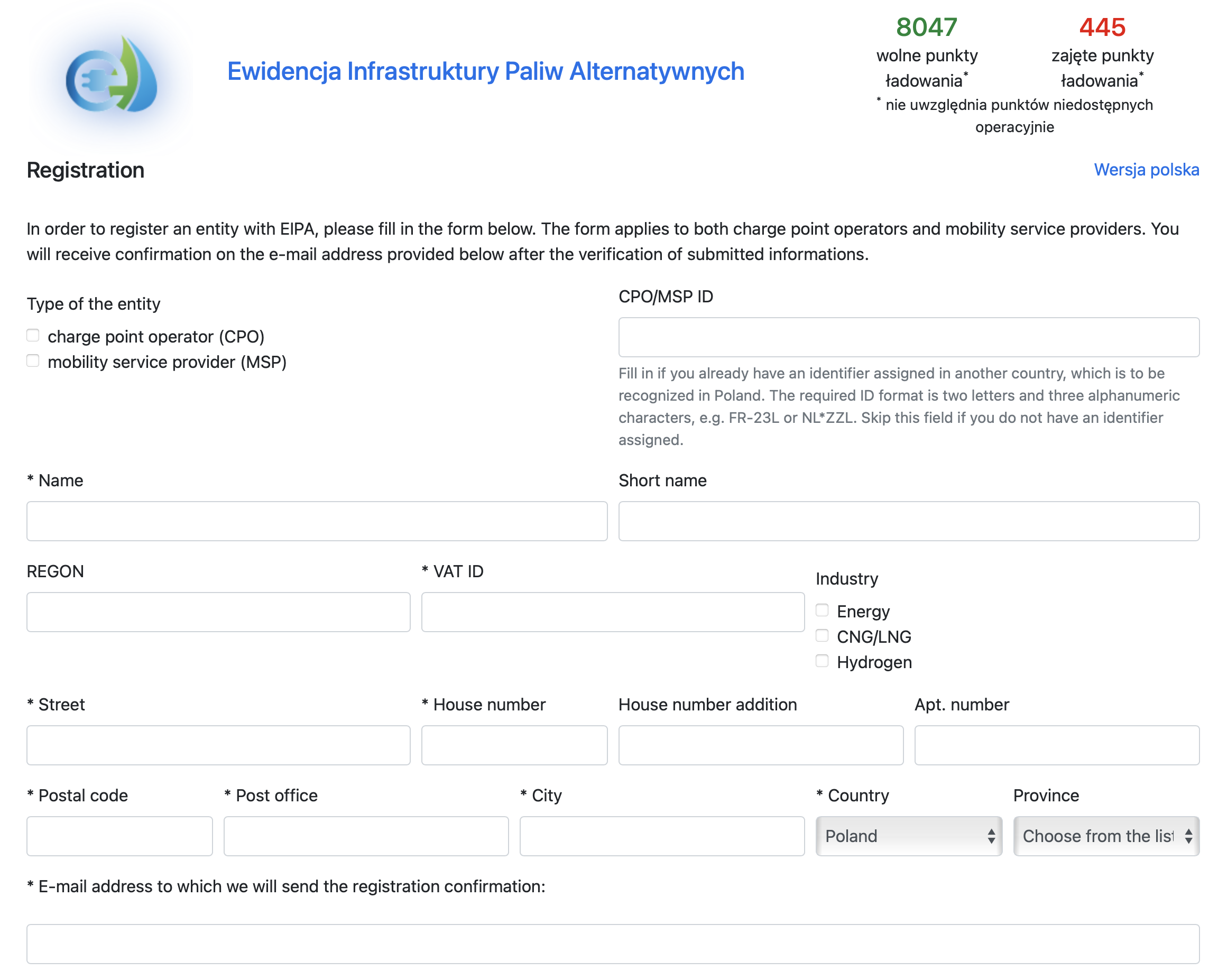
This may involve maintenance costs according to the EIPA fee schedule.
Adding a base in the EIPA system
Receiving your login credentials means your EIPA account is now active. Log in to the EIPA system and then Create a Base.
In the Bases section, create a new base and complete the available form.
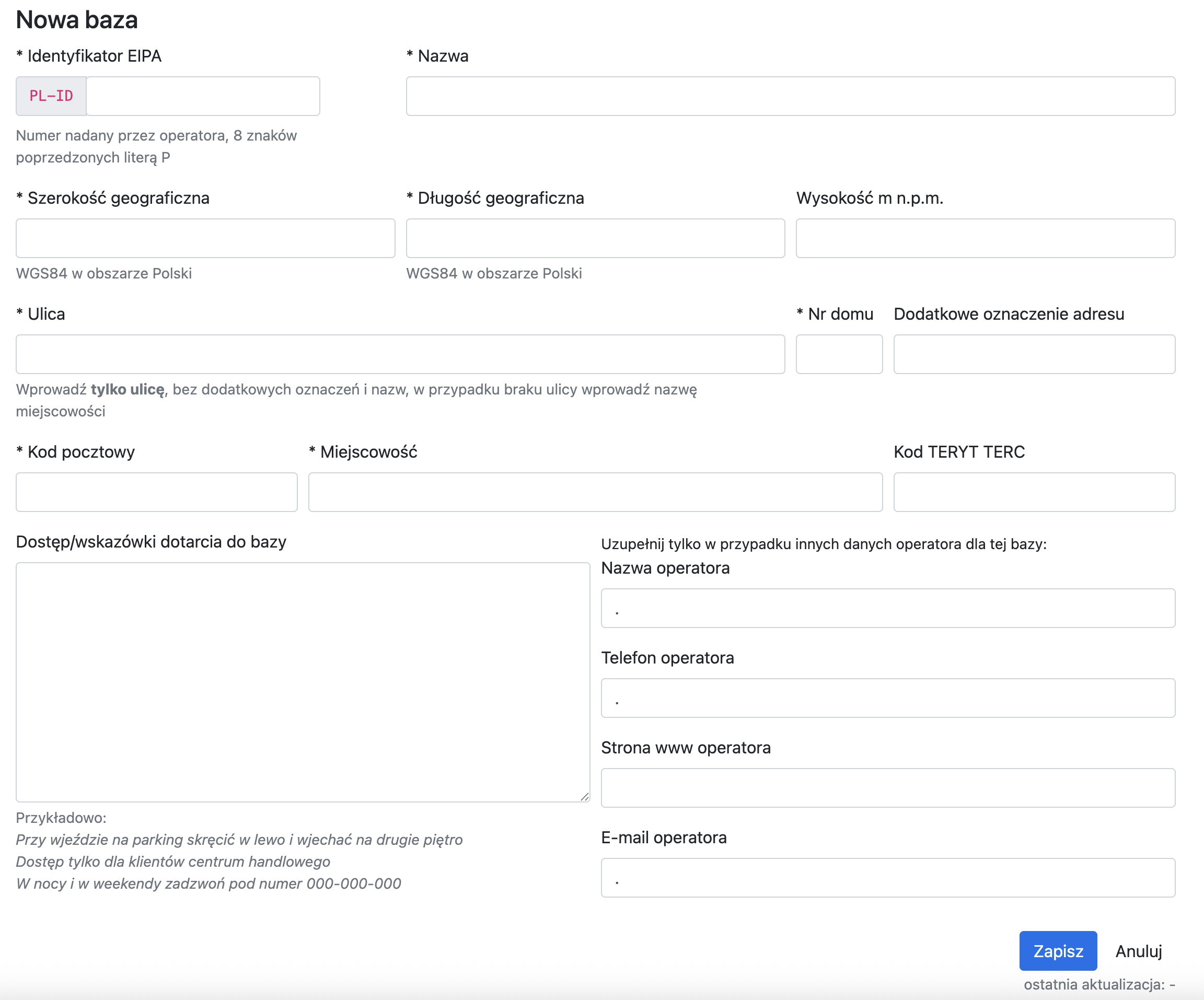
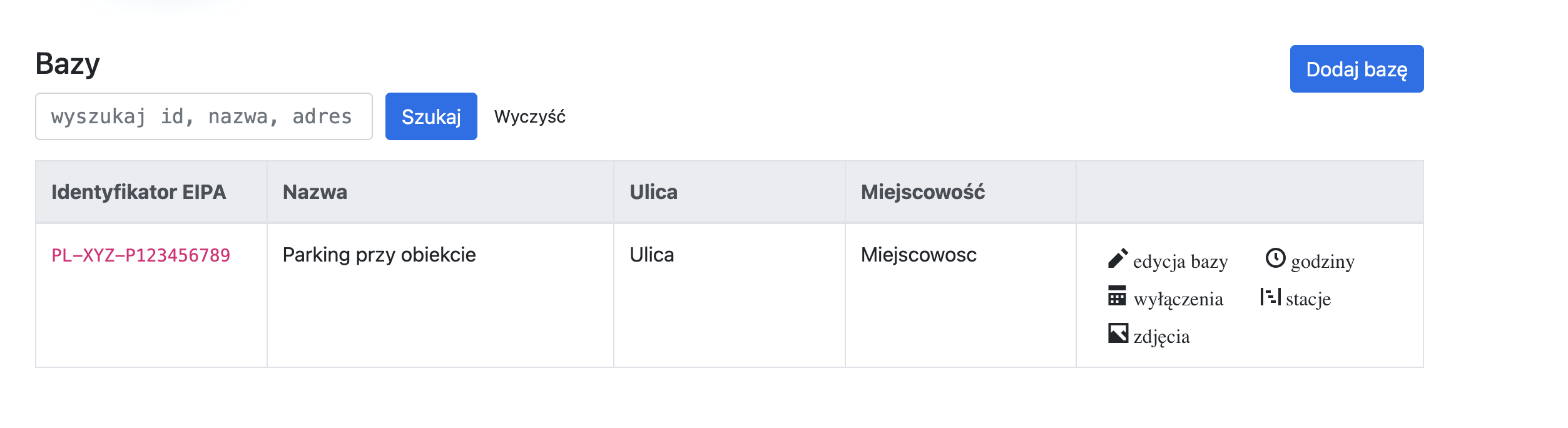
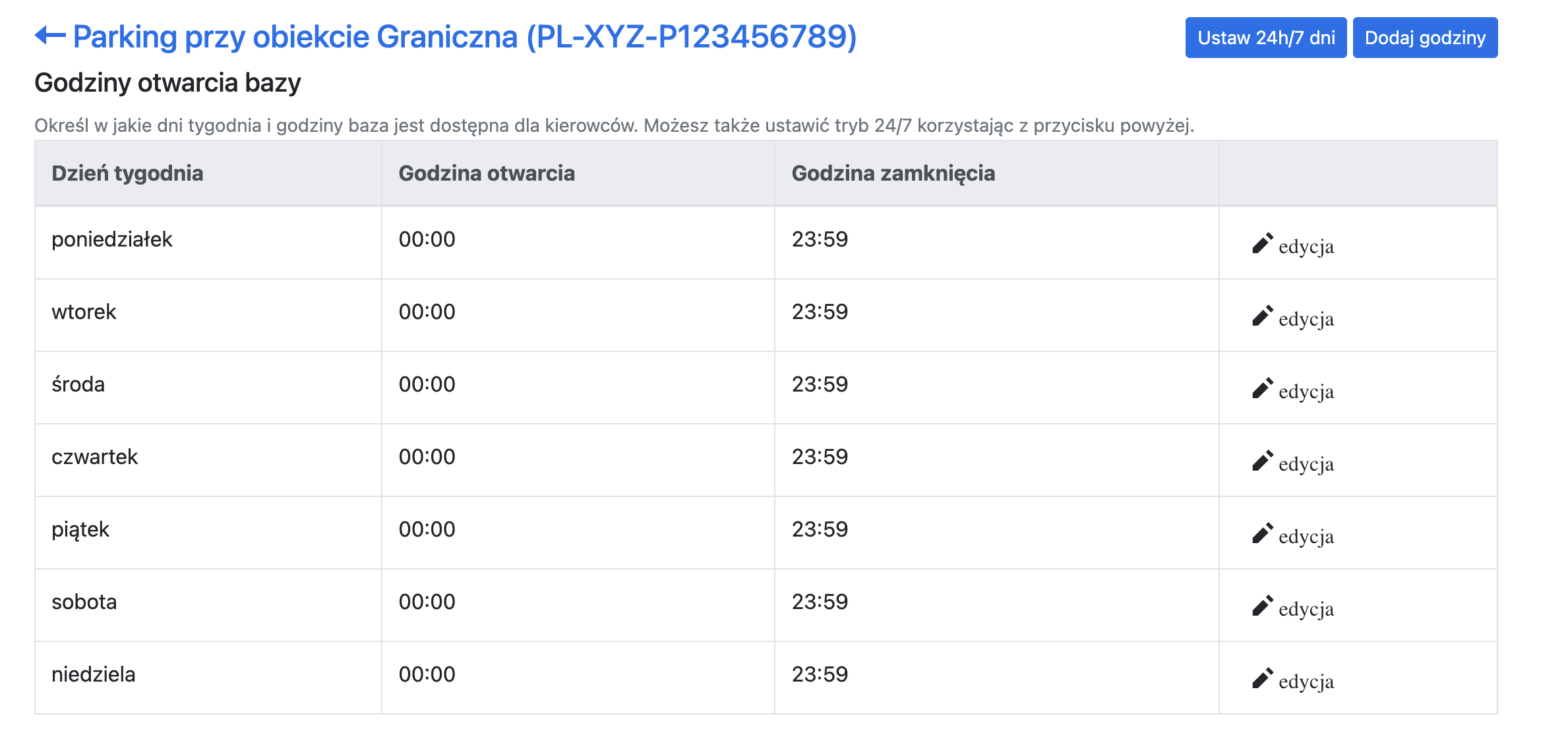
After saving the base, set its opening hours according to the actual availability of the physical location where the base is located. To do this, go to the Hours option from the Base view.
Adding a station in the EIPA system
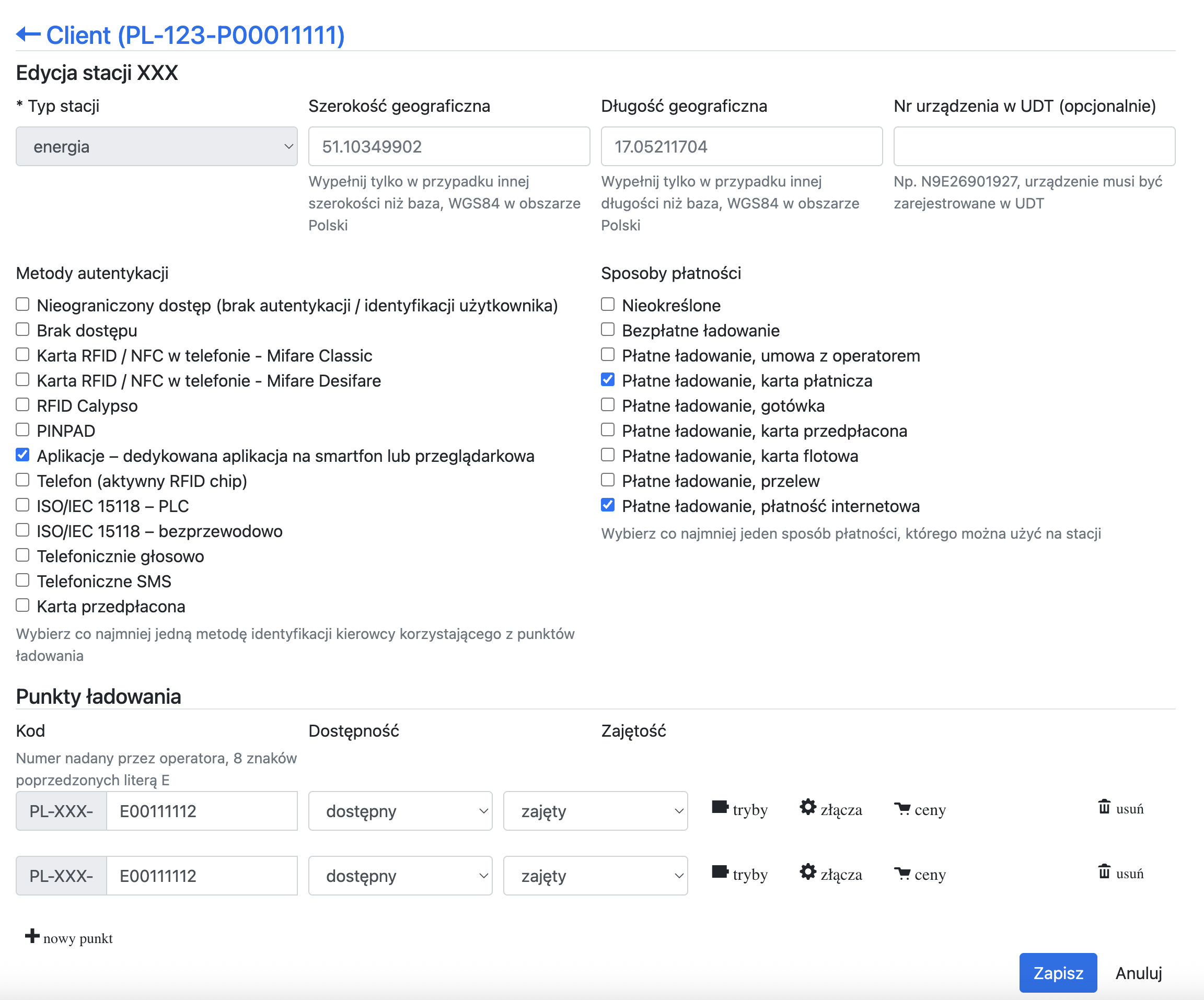
After adding a Base, add a new charging station by going to the Stations option within the Base.
As authentication methods, select:
- Applications
As payment methods, select:
- Paid charging, payment card
- Paid charging, online payment
Fill in the fields below, including the “UDT device number” field. This field is optional and can be filled in later, after receiving the device number from UDT. However, note that until the “UDT device number” field is filled in, the station will not appear on the EIPA map, even if correctly configured.
Adding charging points in the EIPA system
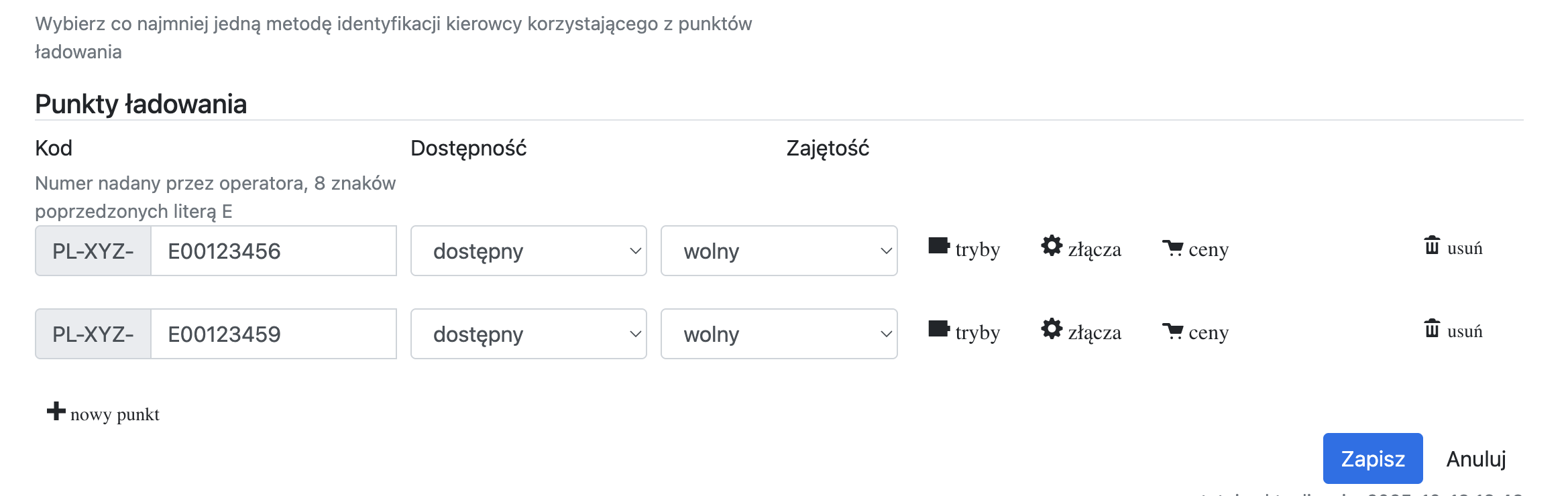
In the Charging Points section, add each charging point of the station.
Use the naming conventions consistent with EIPA rules. We recommend including the station number from the EV24 system, for example: If your station has the number PL-12345, the EIPA number may take the form PL-XXX-E00123451, where the last digit is the sequential number of the point. This makes identifying individual points easier.
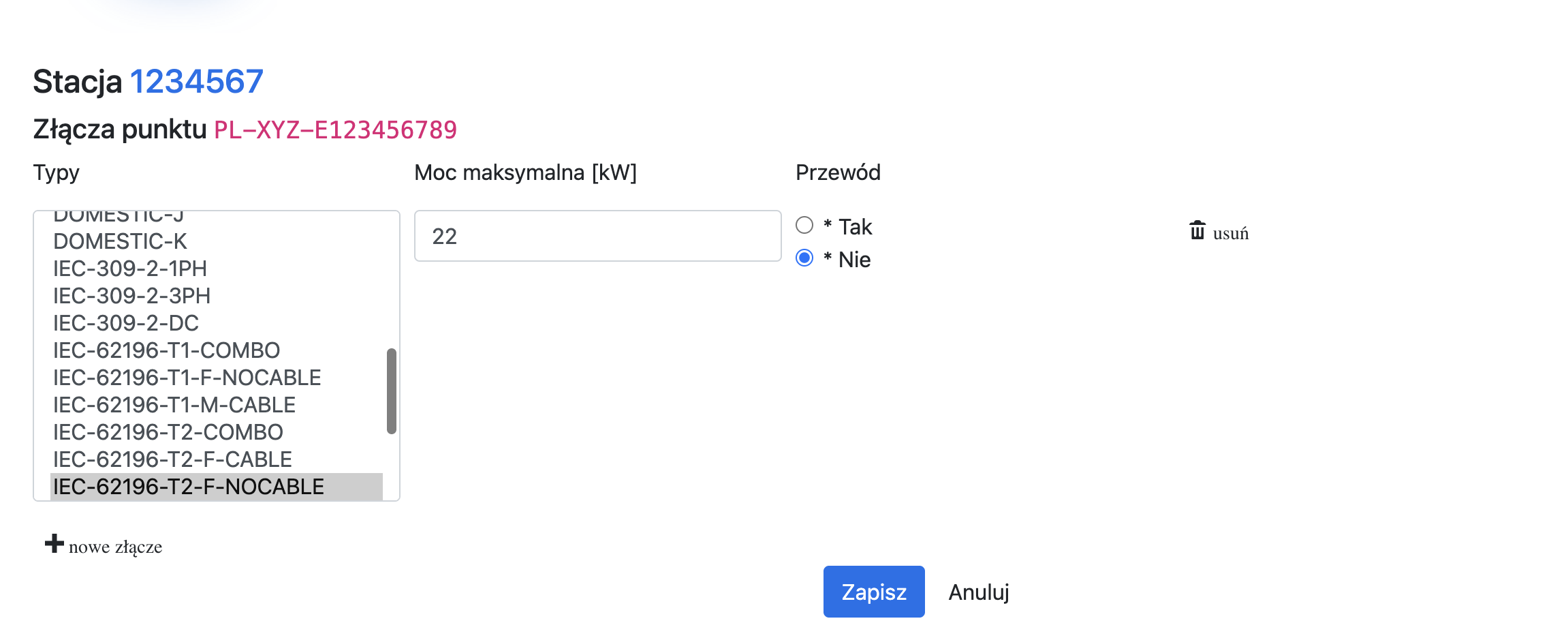
For each charging point, configure the Connectors.
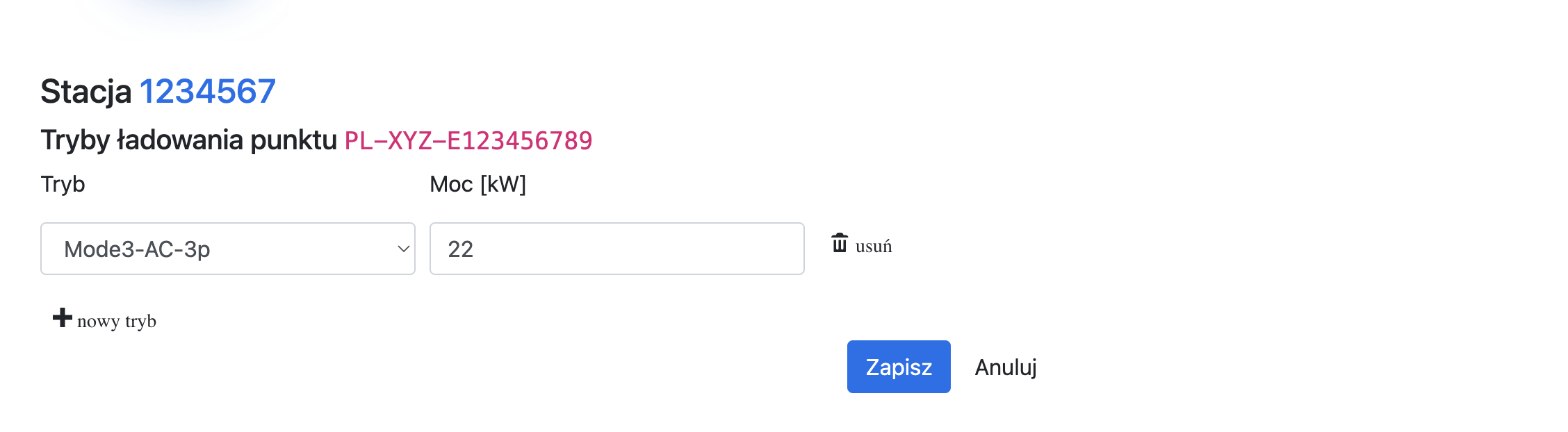
For each charging point, configure the Modes.
You do not need to configure prices or set station availability — EV24 will handle this automatically once configuration is complete.
Verify configuration correctness in the EIPA system
Go to the Audit tab in the EIPA system to check for any configuration errors. If the audit report in EIPA shows a number of required elements greater than 0, review the report and complete the missing configuration elements.
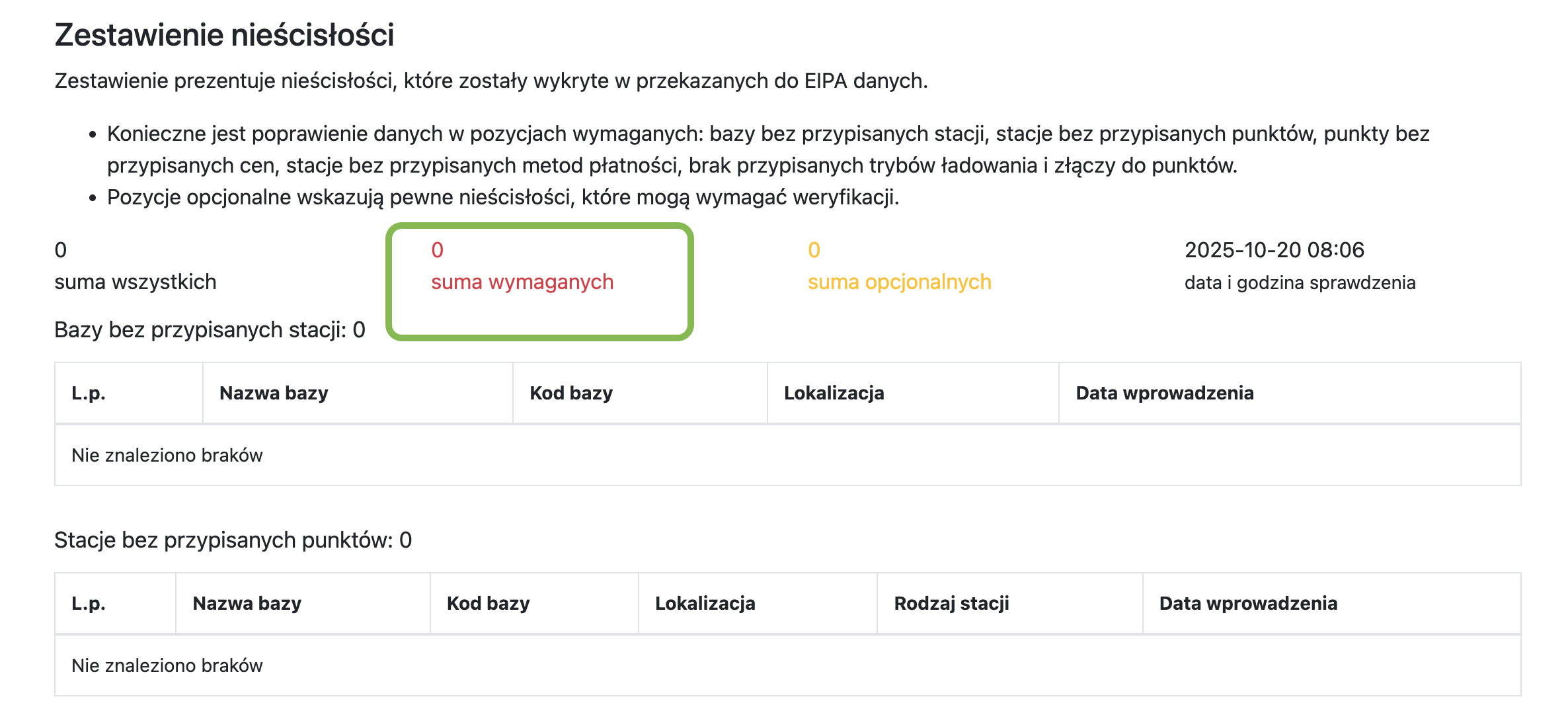
Configure the identifier in the EV24 system
Enter the authentication data received from EIPA in your customer portal profile under the EIPA tab.
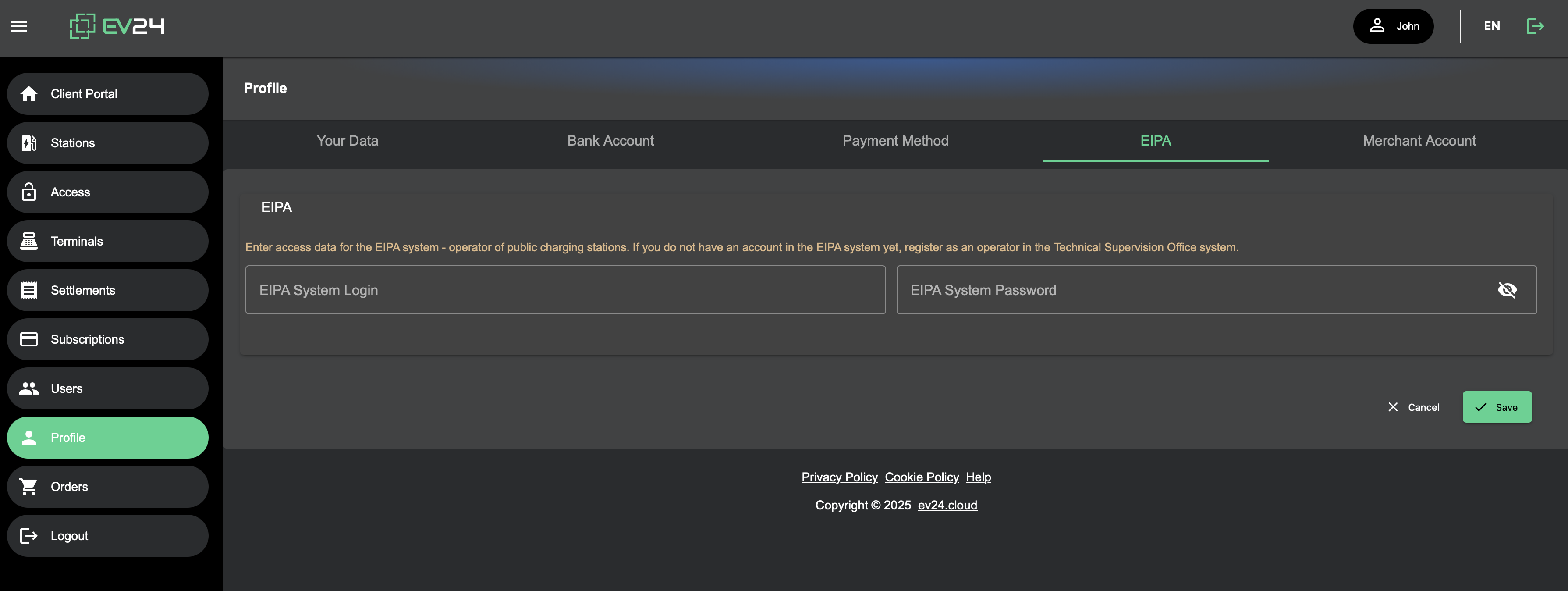
Configure the EV24 station
Then go to your charging station and select the EIPA option. Assign each connector of your station to a connector in the EIPA system.
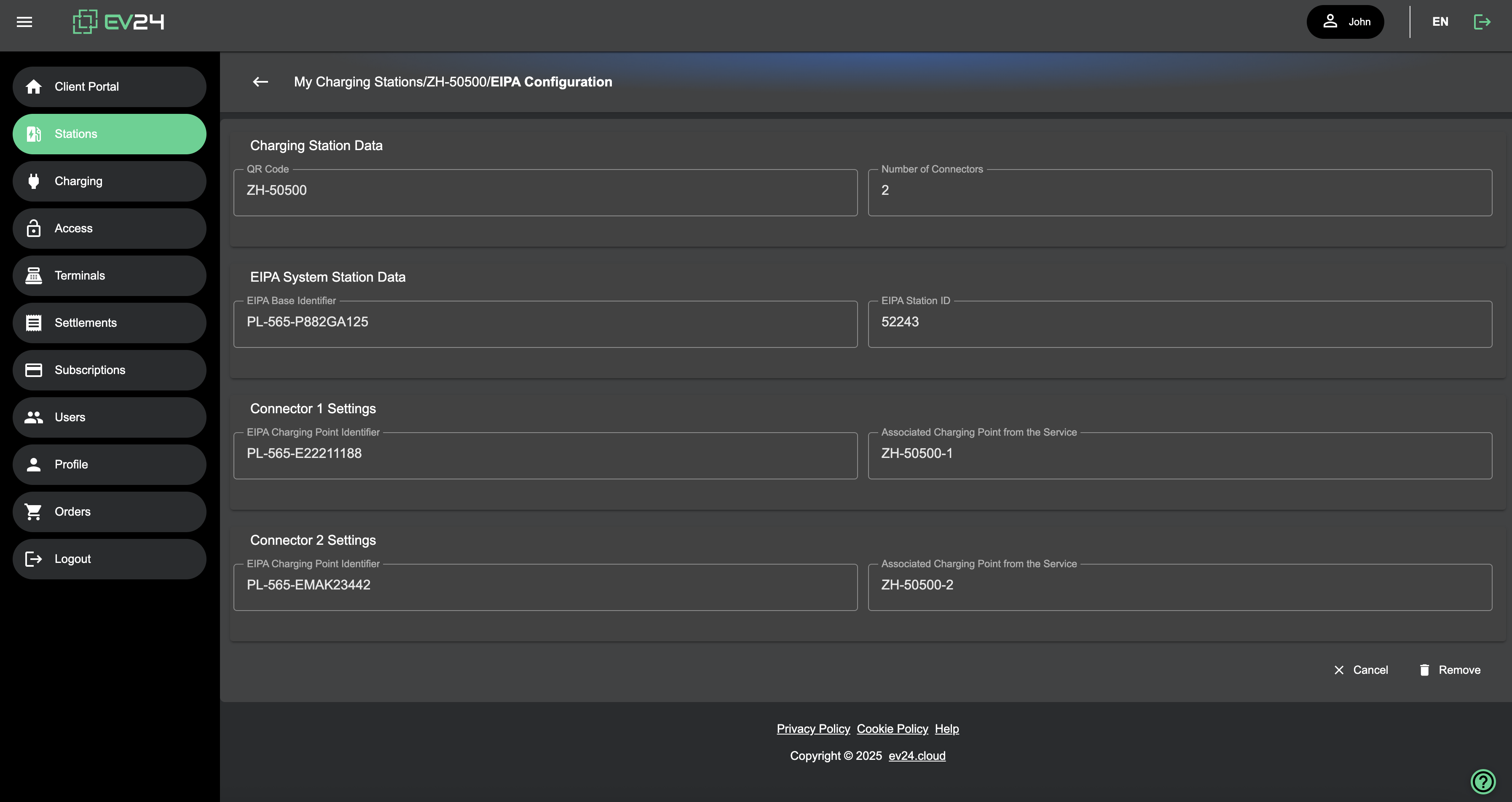
Your station is now correctly configured with the EIPA system. To verify this, you can set a station price — it should automatically appear in the EIPA system.
Switzerland 🇨🇭
There are no registration requirements for public charging stations.