Station maintenance
Plan periodic station inspections in the portal, get email reminders before the date and keep a history of completed inspections with notes.
Charging stations need periodic inspections, for example because of manufacturer warranty conditions or electrical safety checks. The maintenance module lets you plan them in the portal and never miss a date.
Where to find maintenance
- Station details: the Maintenance link in the station settings tile (next to the OCPP and SIM card settings).
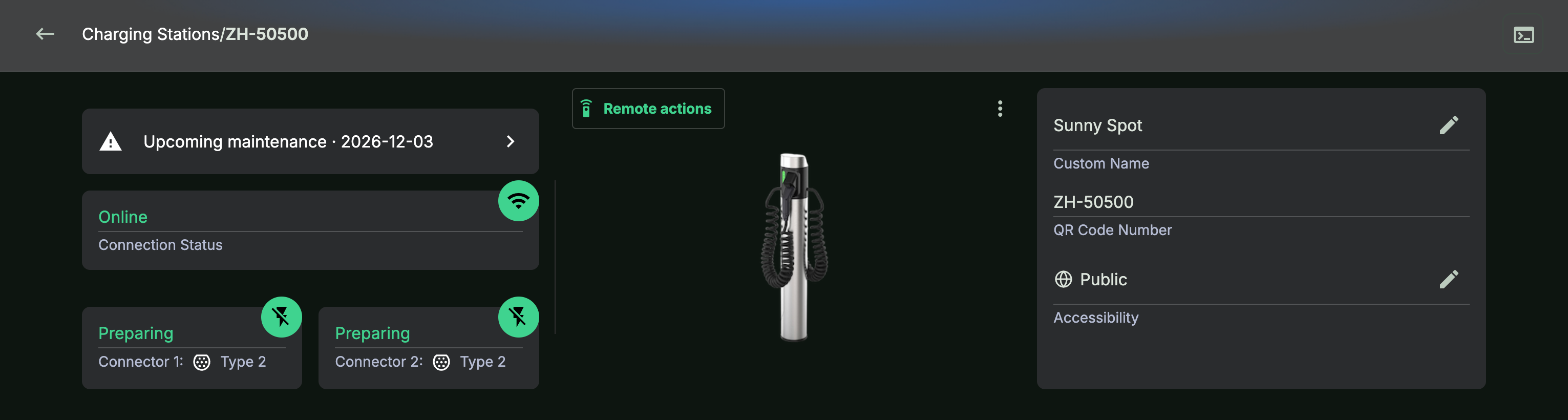
- Warning bar on the station details: when an inspection is coming up, is due today or is overdue, a bar appears at the top of the page, e.g. “Upcoming maintenance · 2026-12-05”. Clicking it opens the station’s maintenance.
- Station list: a warning icon appears next to the connection status, orange for an upcoming inspection and red for an overdue one. Hover to see the date; click to open the station’s maintenance.
Inspections far in the future are not marked, so the list stays readable.
Inspection states
| State | Meaning |
|---|---|
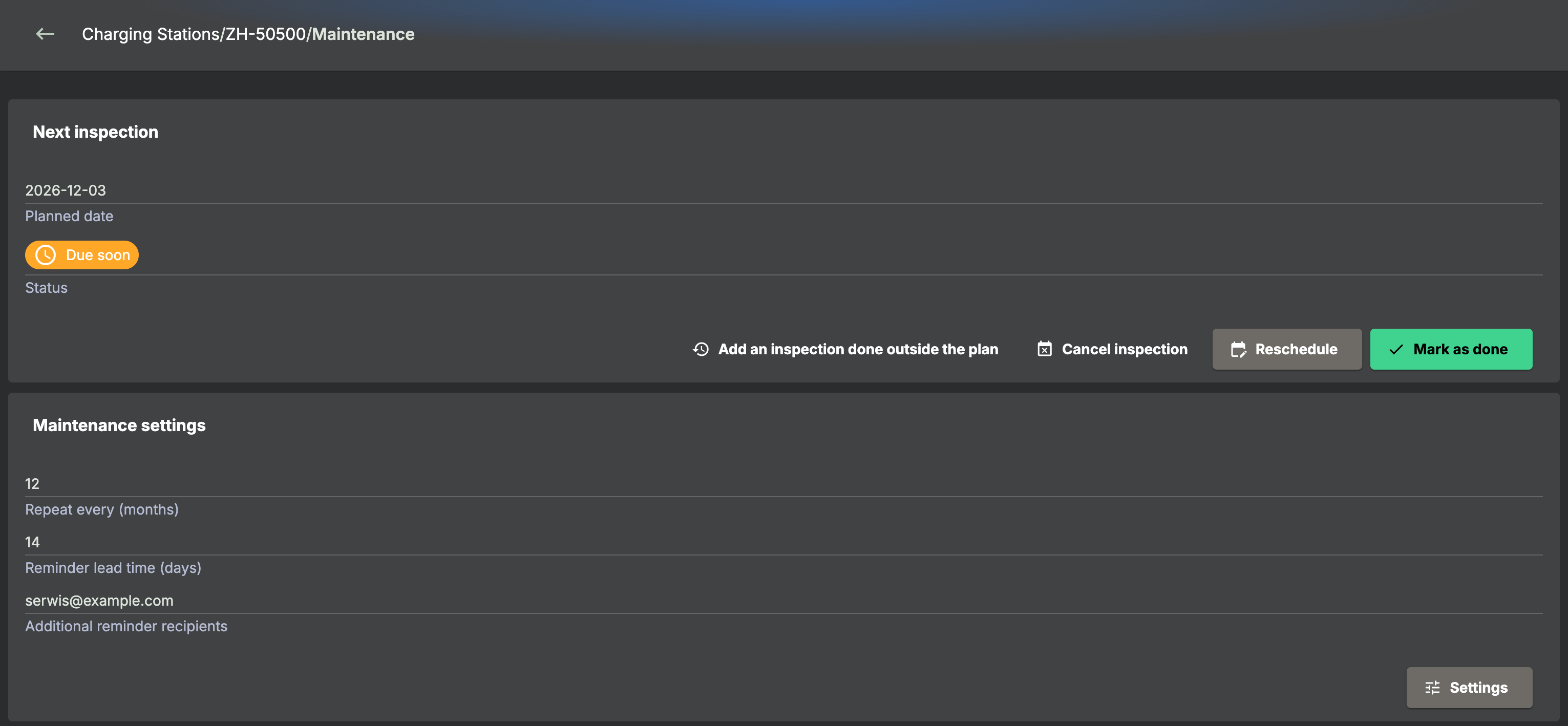
| Planned | The date is further away than the reminder lead time |
| Due soon | The date is within the reminder lead time (14 days by default) |
| Due today | The date is today |
| Overdue | The date has passed and the inspection has not been marked as done |
| Done | The inspection was closed with the date it was performed |
| Cancelled | The inspection was cancelled |
A station has at most one planned inspection at a time. All others are in the history.
Maintenance settings
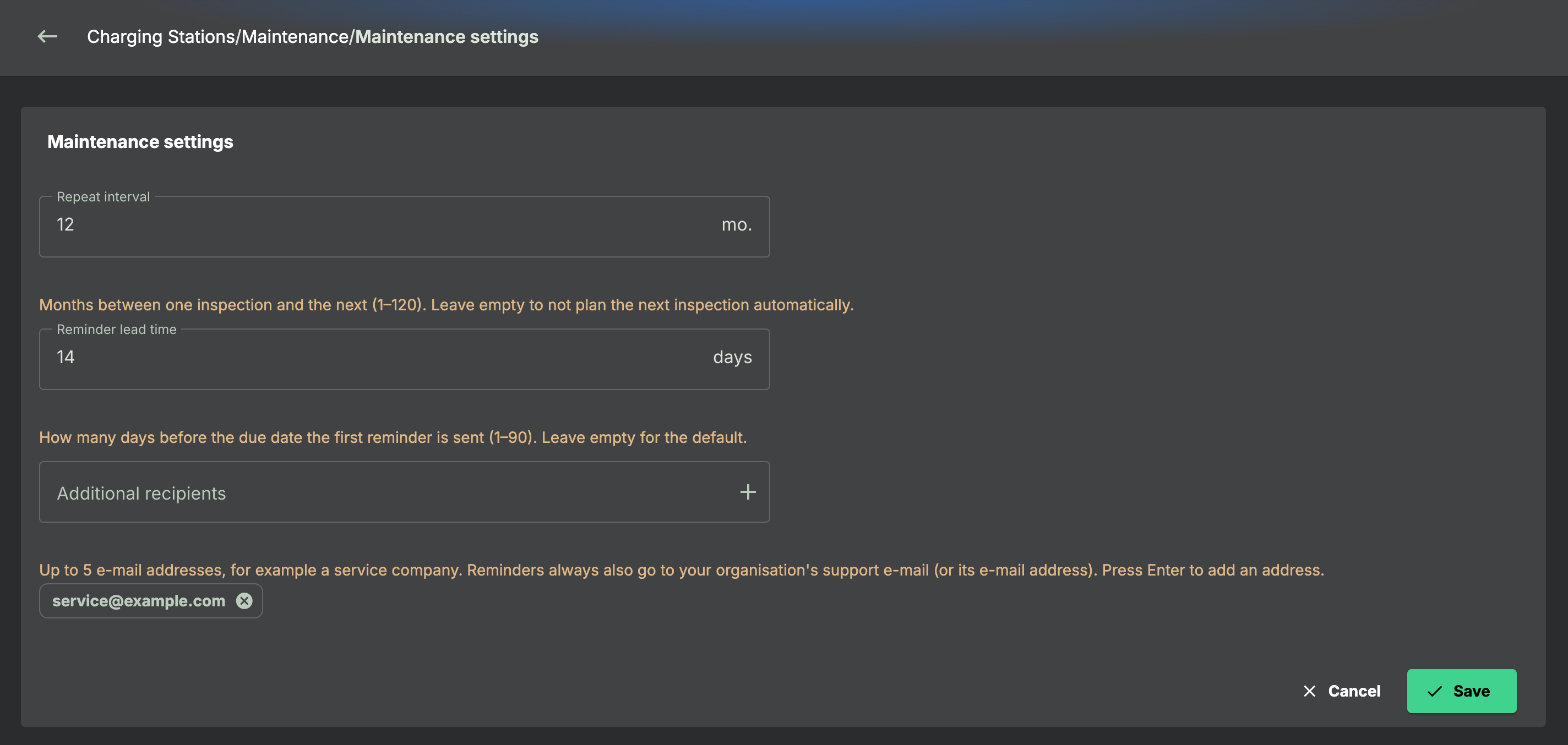
In Maintenance settings, click Settings and enter:
| Field | Description |
|---|---|
| Repeat every (months) | Months from a performed inspection to the next one (1–120). Leave it empty to plan the next inspection by hand. |
| Reminder lead time (days) | How many days before the date the reminder is sent (1–90). Leave it empty for the default of 14 days. |
| Additional reminder recipients | Up to 5 email addresses, e.g. of a service company. Confirm each address with Enter. |
Planning and closing an inspection
Plan an inspection
When the station has no planned inspection, click Plan the first inspection (or Plan inspection) and choose the date. A past date is also accepted; the inspection is then overdue right away.
Reschedule or cancel
A planned inspection has the Reschedule and Cancel inspection buttons. After a new date is set, the reminders are sent again for that date. A cancelled inspection goes to the history, and you plan the next one by hand.
Mark as done
Click Mark as done, enter the date it was performed (not in the future) and notes. If the station has a repeat interval, the portal suggests the next date: the performed date plus the interval. You can change it or leave it empty, in which case no next inspection is planned.
To record an inspection done outside the platform, use Add an inspection done outside the plan in the history. It does not change the planned inspection and does not plan a new one.
Inspection history
Inspection history lists every inspection of the station: date, state, performed date, who closed it and notes. You can filter by state and by date (from–to). For a planned inspection you can mark it as done or reschedule it; for a closed one you can correct the notes.
Email reminders
The portal sends two kinds of messages:
- Reminder: when the reminder lead time starts, e.g. 14 days before the date. It says how many days are left.
- Inspection due: on the date or after it, if the inspection has not been marked as done yet. It asks you to mark the inspection as done or reschedule it.
Each message is sent only once per inspection. Recipients are the company’s support email (or its email if there is no support address) and the station’s additional recipients. Messages are in the company’s language.
Messages go out on working days in the morning. Reminders whose lead time starts on a Saturday or Sunday are sent on Friday, so they never arrive late.
Who can manage maintenance
Users allowed to manage stations, e.g. the Administrator and Operator roles, can plan, change and close inspections. Other users of the company see the inspections and their history without changing them.
What the module does not do
- It does not switch the station off or put it into service mode when the date has passed.
- It is not a service ticketing system (no technician assignment, parts or costs).
- It does not store inspection reports as files.